Gardner is a CRM for ETF and structured-products wholesalers. It runs on your computer, works from the Excel files you already keep, and never puts your client data on our servers.
No credit card. Works in Chrome and Edge on Windows and Mac.

Relationships first. Gardner tells you who to call this week, then shows what those calls are worth.
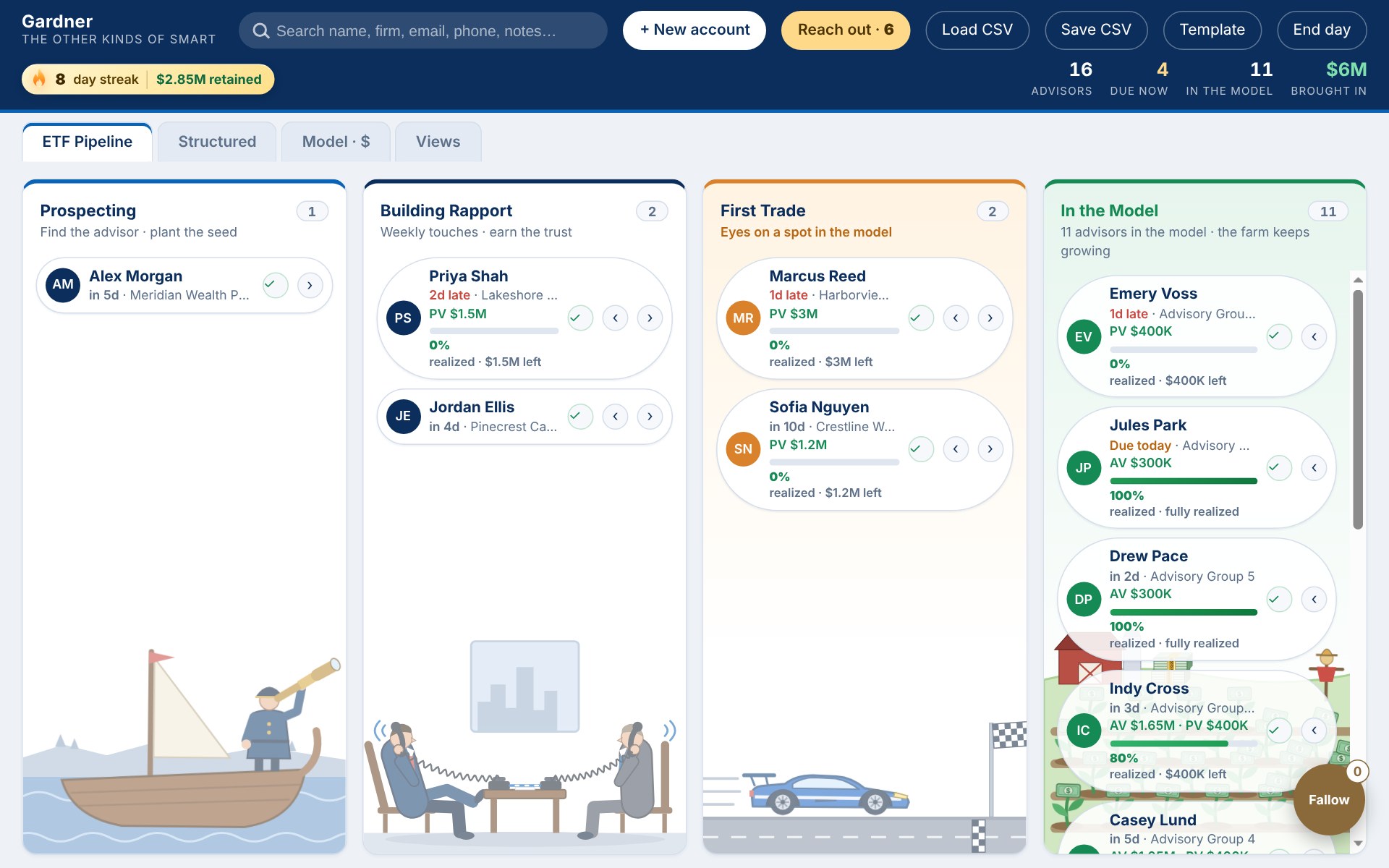
Every advisor has a check-in rhythm that matches the relationship. Tap once after a call and the clock resets.
Move advisors from prospect to building rapport to first trade to a spot in their model, then watch the farm grow.
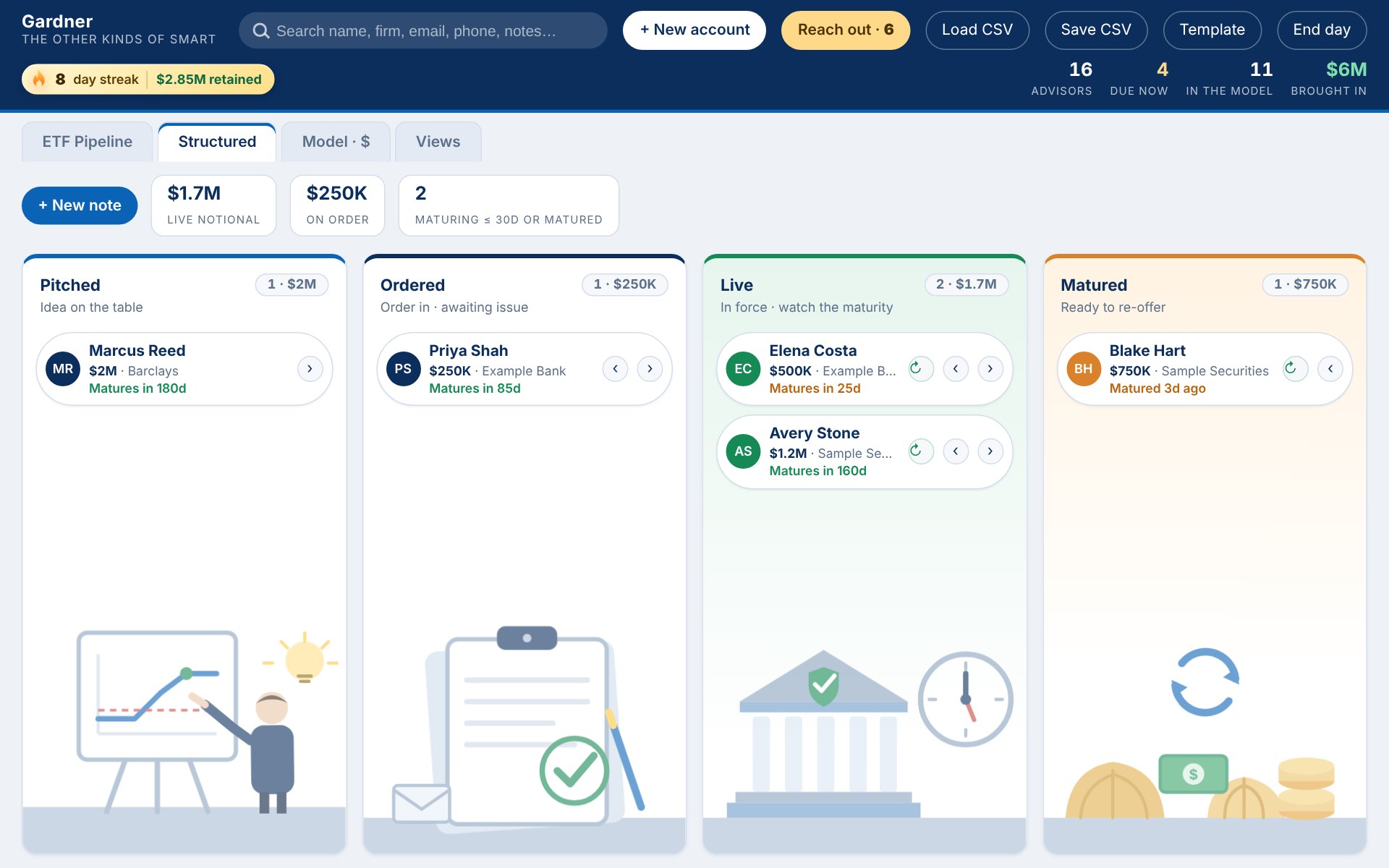
Pitched, ordered, live, matured. Issuer, size and maturity on every note, with a one-tap re-offer when it comes due.
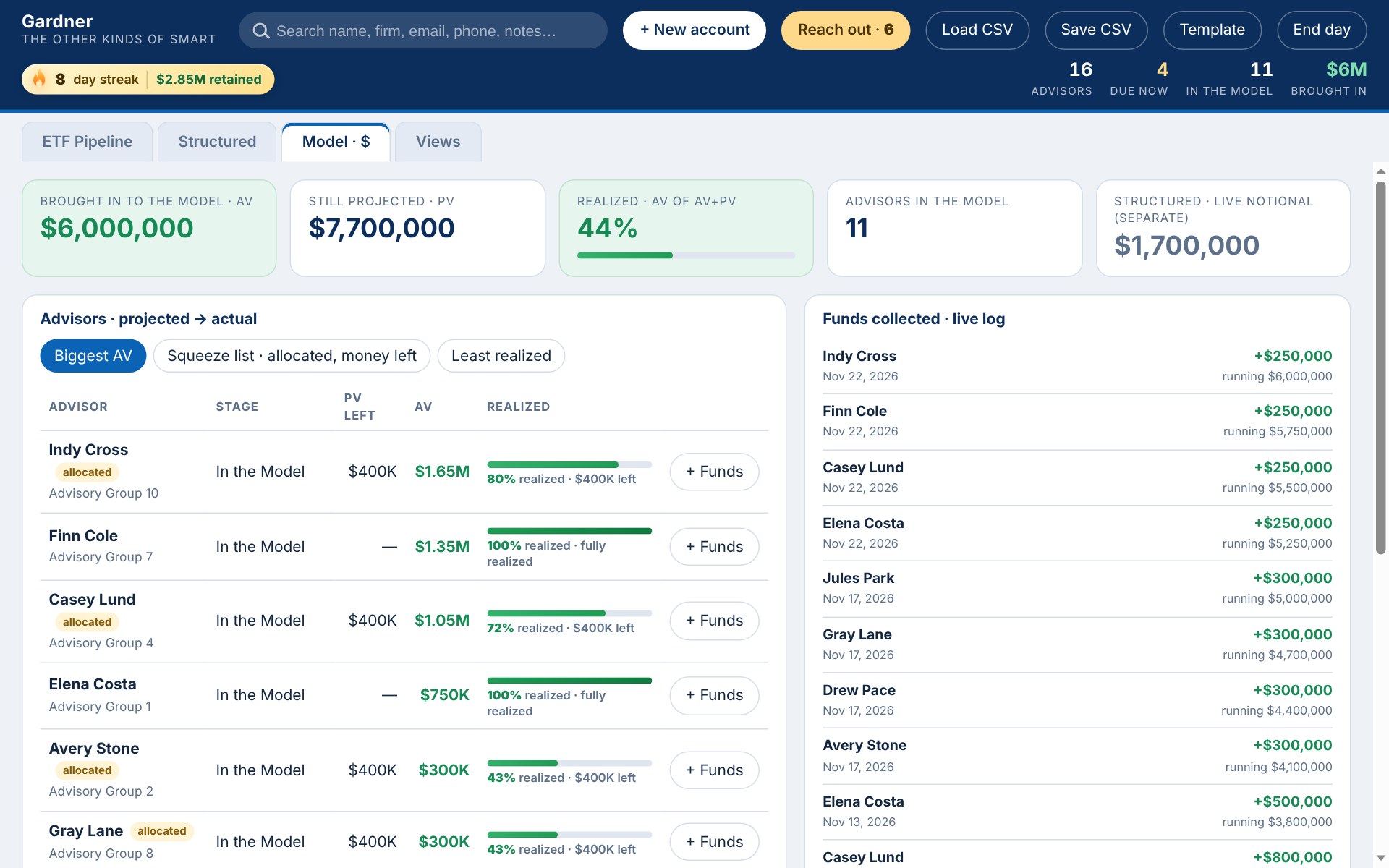
A green bar shows how much of each projection has become real money, and a Squeeze list shows who has allocated and still has room.
Save your own call runs by due date, maturity window or size, and keep them next to your pipeline.
Streaks, levels and badges for showing up, plus a running count of the dollars that followed your reminders.
Projected value turns into actual value every time you log funds. The bar fills green and the leftover stays visible, so you never leave allocated money on the table.

Four columns from first pitch to maturity, each with its own picture so you know where you are in a glance. Drag the tabs into the order you like and Gardner remembers.

A real walk through the app, start to finish. About 90 seconds.
Every plan has everything. The only choice is how you like to pay.
One payment covers the current Gardner for as long as you want it. No subscription, nothing to renew.
Prices are in US dollars. Taxes may be added at checkout. Cancel a subscription anytime from your account; you keep access through the period you have paid for.
Most CRMs are websites that store your clients' names, notes and numbers. Gardner is different. It is a program that runs in your browser on your computer and edits a CSV file you keep. We do not host a database of your clients, because we never receive one.
Because nothing is stored with us, there is no client data in our systems for a vendor review to cover. Your firm's compliance team decides which tools are approved, so check with them before you start. Read the full data-flow summary, written to hand to compliance.
No. Download Gardner, type your name and email, and you have 14 days with every feature. Nothing is charged and nothing renews on its own.
A computer with Chrome or Edge. Gardner is one file you open in your browser. There is nothing to install and no server to set up.
In your browser on your computer, and in the CSV file you save. Each morning you load yesterday's file, and each evening you save it. You can also connect one file so every change saves to it as you go.
Yes. Gardner saves ordinary CSV files that Excel opens directly. Keep the extra columns to the right in place, because they hold your streaks and view settings.
Gardner pauses until you renew, and your CSV stays yours. Nothing is deleted. Pick a plan any time and it picks up where you left off.
Yes. Each license works on one computer at a time. Enter your license code on the new one and it moves over. Load your CSV there and you are back in business.
While a subscription is active, Gardner renews itself quietly in the background by checking your license. If you ever lapse, one click on "Check my license" brings it back once you have paid.
You pay once for the current version of Gardner and keep it as long as you like. It does not include future updates. If a newer version is released, you can upgrade for $1,200, which is 75% off the license price.
Open your account page, enter your license code and email, and use the billing portal. You keep access through the end of the period you paid for.
That decision belongs to your firm's compliance team. We built Gardner so that client data never reaches us, and our data-flow summary is written to hand straight to them.
Free for 14 days. No card. Your data stays with you.
Start your free trial๐ Payments handled by Stripe. We never see your card.